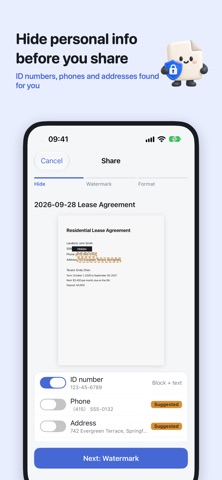
Renting a flat, opening an account, signing up for a phone plan — someone always asks for a copy of your ID. Do they really need your birthday, address and ID number?
Papercase scans your documents cleanly and helps you hide what they don’t need before you share.
FOUR SCAN MODES
Documents, business cards, IDs and receipts, right from the home screen. ID mode guides you through front and back; documents and receipts can be multi-page, or imported from Photos.
STRAIGHTENED AND SHADOW-FREE
Edges are found and straightened automatically, and the shadow of your phone disappears. The text is recognized so you can search for it later.
HIDE PERSONAL INFO IN ONE TAP
Faces, ID numbers, phone numbers, emails, addresses, birthdays and account numbers are found for you. Add words you always hide, like your own name, and they’re covered automatically.
WATERMARKS
Add “For __ use only. Not valid otherwise.” and fill in the purpose when you share. Save the ones you use often as templates.
BUSINESS CARDS
Scanned cards are organized into name, title, company, phone and email, ready to save to Contacts.
YOUR DOCUMENTS STAY ON YOUR PHONE
No sign-up and no uploads. Text recognition and redaction happen on your device. Turn on Face ID lock so nobody borrowing your phone can peek.
PAPERCASE PRO
Everything above is free. Subscribe to Papercase Pro to:
• Remove all ads
• Use Smart Organize without limits (3 times a day on the free plan)
• Share without the small “Scanned with Papercase” mark
Papercase Pro is an auto-renewable subscription, monthly or yearly. The yearly plan includes a 7-day free trial for first-time subscribers. Payment is charged to your Apple Account at confirmation of purchase. The subscription renews automatically unless cancelled at least 24 hours before the end of the current period. Manage or cancel in Settings → Apple Account → Subscriptions.
Terms of Use: https://www.apple.com/legal/internet-services/itunes/dev/stdeula/
Privacy Policy: https://israynotarray.dev/app/papercase-privacy