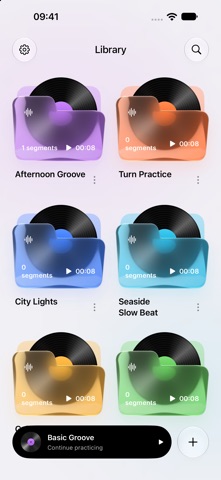
Spend more time practicing the part that needs it. LoopStep turns your own audio files into saved practice sections for playing an instrument, singing along, or rehearsing a dance.
CHOOSE A SECTION
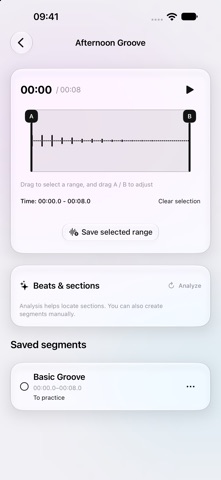
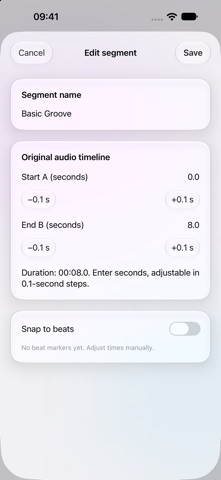
Drag across the waveform and adjust the A/B handles to select a passage. Give it a name and save it. Keep several sections from the same track for different parts of your practice.
FIND YOUR PACE
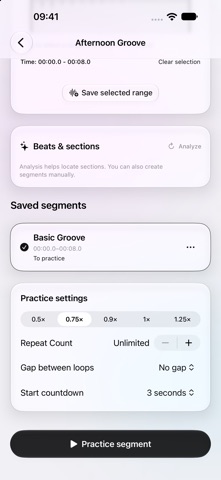
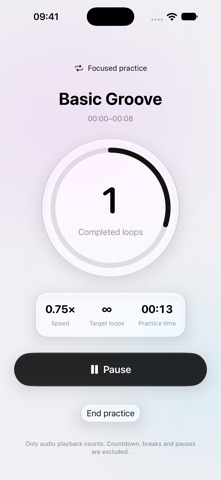
Choose from five playback speeds: 0.5×, 0.75×, 0.9×, 1×, and 1.25×. Slow a passage down to listen closely, then change the speed when you are ready. Repeat it 1–99 times or keep it looping.
MAKE ROOM TO GET READY
Enable a 3-second start countdown and add a 2- or 5-second break between loops, or play with no break. The focused practice screen shows actual playback time and completed loops, with controls to pause, continue, or start again.
KEEP YOUR PRACTICE ORGANIZED
Import audio from Files, search and rename tracks, and mark each section's learning status. Return to your last practice section from the library and see your total recorded practice time in Settings.
USE ANALYSIS AS A STARTING POINT
When analysis is available, view BPM, beat markers, and suggested sections. Adjust a suggestion before saving it. Manual section selection and practice remain available if analysis cannot run.
LOCAL STORAGE, NO ACCOUNT
Audio copies and practice records stay on your device; the app does not upload your audio. System device backups may include this data. Keep your original files: uninstalling the app removes local data.
BEFORE YOU START
• Bring your own readable, DRM-free audio. No song downloads or streaming catalog are included.
• Each file must be at least 1 second, no longer than 20 minutes, and no larger than 100 MB.
• Practice runs in the foreground. Playback pauses when the screen locks, the app moves to the background, or audio is interrupted.